We're excited to announce the release of jDeploy 6.0, a major update that transforms jDeploy from a GUI desktop application bundler into a full multi-modal application platform.

Multi-Modal App Support
With jDeploy 6.0, a single package.json can now declare and install GUI apps, CLI commands, background services, a system tray helper, and MCP servers for AI tool integration. All new features are opt-in—existing packages continue to work exactly as before with no configuration changes required.
CLI Commands
Define named command-line tools that are installed to the user's PATH. The installer creates platform-appropriate wrapper scripts, and your Java code can detect which mode it's running in via the jdeploy.mode system property.
Background Services
Add service lifecycle management to any CLI command. Users can run service install, start, stop, status, and uninstall. The native launcher registers services with systemd on Linux, launchd on macOS, and Windows Service Manager.
System Tray Helper
When your app includes services, jDeploy automatically installs a system tray helper that provides service management and quick-launch actions. Configure custom menu items to open URLs, files, or deep-link into your GUI app using custom URL schemes.
AI Integration
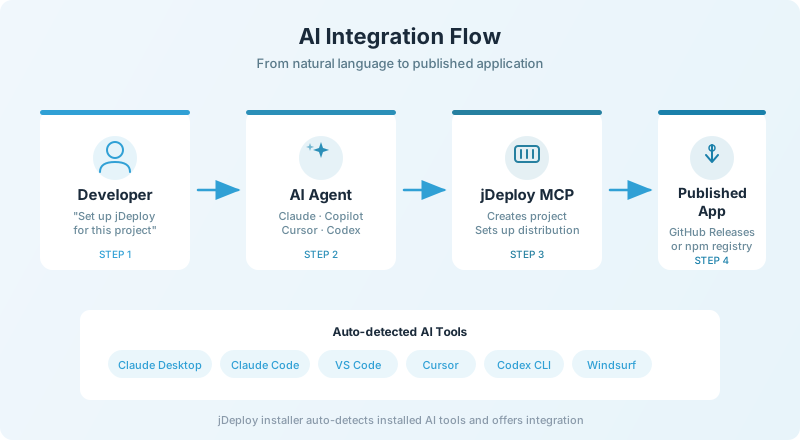
jDeploy 6.0 ships with its own MCP server, making jDeploy itself a tool that AI coding agents can use directly. When you install jDeploy, the installer detects which AI tools you have installed (Claude Desktop, Claude Code, VS Code Copilot, Cursor, Codex CLI, Windsurf, Gemini CLI, and others) and lets you choose which ones to integrate with.
Once connected, your AI coding agent can create new jDeploy projects, set up distribution on existing projects, and publish releases—all from natural language commands.
Deploy Your Own MCP Servers
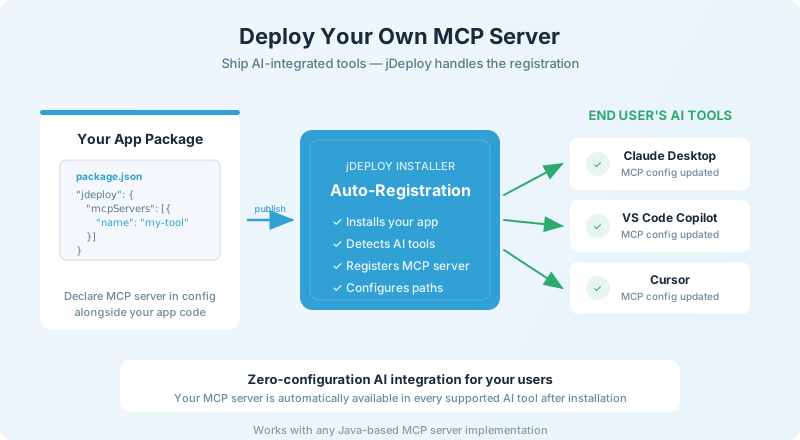
Beyond using jDeploy's built-in MCP server, you can also deploy your own application as an MCP server. jDeploy registers your MCP server with supported AI tools during installation, so your users get seamless AI integration out of the box.

Deep Linking and Singleton Mode
jDeploy 6.0 introduces singleton mode and the jdeploy-desktop-lib library for deep integration between your GUI application, web apps, and background services. When singleton mode is enabled, clicking a custom URL or double-clicking a file activates your existing window and forwards the request to it, rather than launching a new instance.
Redesigned Desktop GUI
The jDeploy desktop application has been completely redesigned with a side navigation panel, similar to IntelliJ IDEA and VS Code. This provides room for the growing number of configuration sections without crowding the UI.

Project Settings

Build Configuration

CLI Commands

AI Integrations

Helper Actions
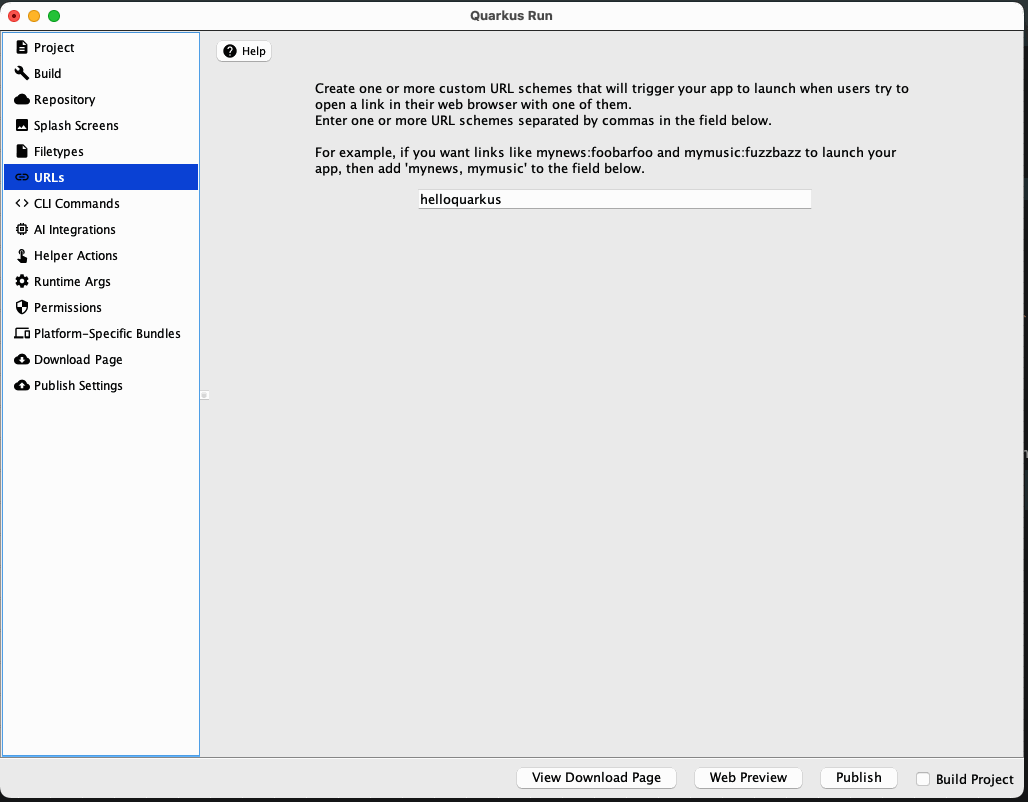
URL Schemes

Permissions
Getting Started
Ready to try jDeploy 6.0? Download the latest release or check out the full release notes for all the details.
If you use an AI coding agent, you can set up jDeploy by simply asking: "Set up jDeploy for this project".
